

Share files, texts, music and a scratchpad with your devices, peer to peer.
FlipFlop connects your devices directly over the local network, Bluetooth or the internet — share files, paste texts, edit a scratchpad and listen to music together, with no account and no server in the middle.
One app on desktop and phone
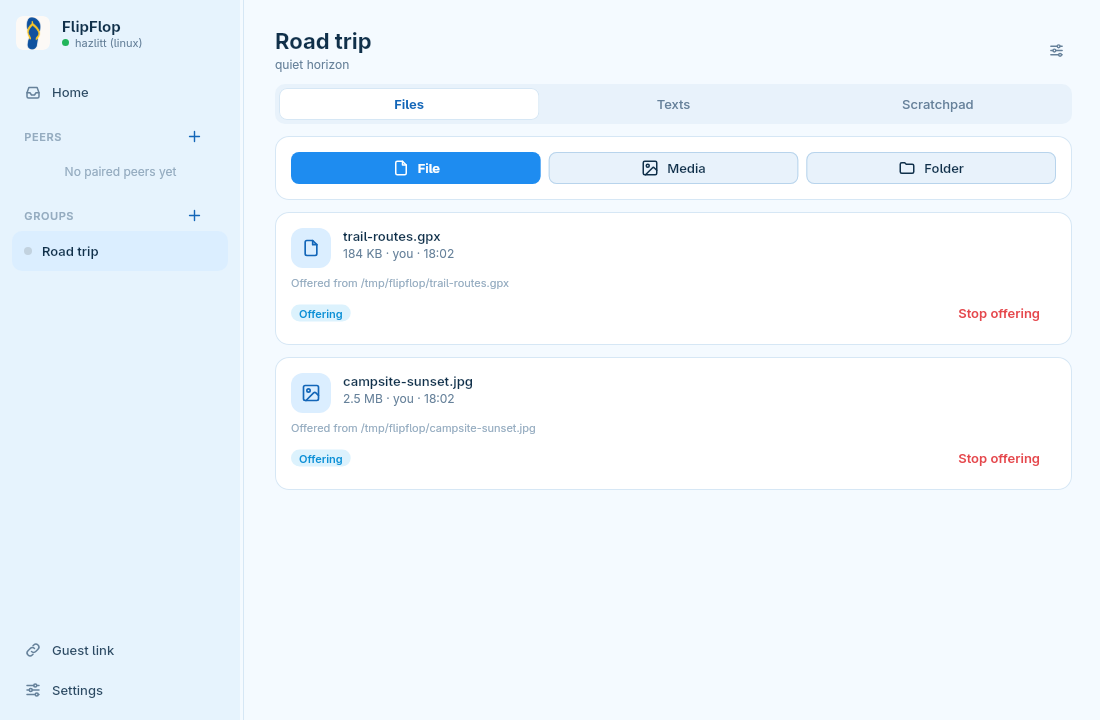
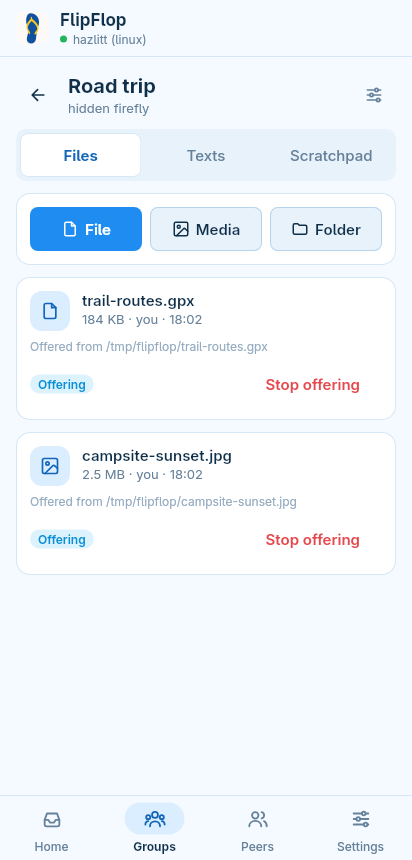
Built with Freya over a shared Rust core. Wide windows show a sidebar; narrow windows and phones use a compact single-pane layout.
Everything syncs directly between members
Each group shares one conflict-free Automerge document synced over encrypted iroh connections, while file bytes travel straight from sender to receiver.
LAN, Internet & Bluetooth
Finds nearby devices automatically via mDNS on the local network and BLE advertisements. Connects anywhere with iroh, and can fall back to Bluetooth LE transport when there is no network at all.
Contacts, Pairing & Groups
Pair with a device in one click or scan its QR code to share a private two-device page. Create multi-device groups and invite contacts; members discover each other through the group and connect directly.
Direct File & Folder Sharing
Offer files, folders, media or installed Android APKs. Bytes stay on your device until fetched, verified by BLAKE3 hash. Supports automatic downloads, resuming interrupted transfers, and optional rehosting.
Texts & Live Scratchpad
Texts is a fast feed for links, codes and clipboard snippets with one-click copy and open. Scratchpad is a shared plain-text document everyone can edit at once with automatic conflict-free merging.
Browser Guest Links
Let anyone join a group from a web browser — no app install required. Gives both a local LAN address (works offline on the same Wi-Fi) and an anywhere link powered by iroh and Automerge compiled to WebAssembly.
Music, Listen Along & Miniapps
Turn on the Music tab to stream songs and album folders on demand without downloading them first. Share what you play and the others listen along, in sync, from wherever the songs live. Extend any group with custom WebAssembly miniapps (checklists, expenses, polls, calendars) that sync state in the group document.
Install FlipFlop
Download a prebuilt package from the latest release or install via your platform's store and package manager. See the GitHub README for one-line terminal commands and full instructions.
Android
Android 8+. Install and stay updated through Zapstore, or grab the signed APK directly from GitHub Releases.
Linux
Packages for every major distribution, plus a universal Flatpak bundle, AppImage and portable archive.
Windows
Per-user installer with Start menu entry (no admin rights required) or portable zip archive for x64.
macOS
Disk image for Apple Silicon Macs, or install straight into /Applications with a terminal one-liner.
Full-featured Command Line Interface
The flipflop CLI does everything the desktop app does and shares the same device identity — handing commands over a local socket whenever the GUI is already running.
flipflop peers                               # nearby peers and saved contacts
flipflop group new                           # create a group
flipflop file offer G ./photo.jpg            # offer a file to group G
flipflop text send G "https://example.com"   # send a link or snippet
flipflop pad show G                          # read or update the group's scratchpad
flipflop guest new --uploads                 # open a browser guest link